Explore another direction.
Work through a detailed brief with advanced AI editing. Ask for a new version, then refine the result.
- Creative follow-ups
- Changes you can review and undo

Your AI agent makes the edits.
You make the creative calls.
Give Meridian a creative brief. The agent works with your project to make real timeline edits. Want a different direction? Just ask.
“Make a punchy travel film. Open strong, warm up the color, and ease the music out.”
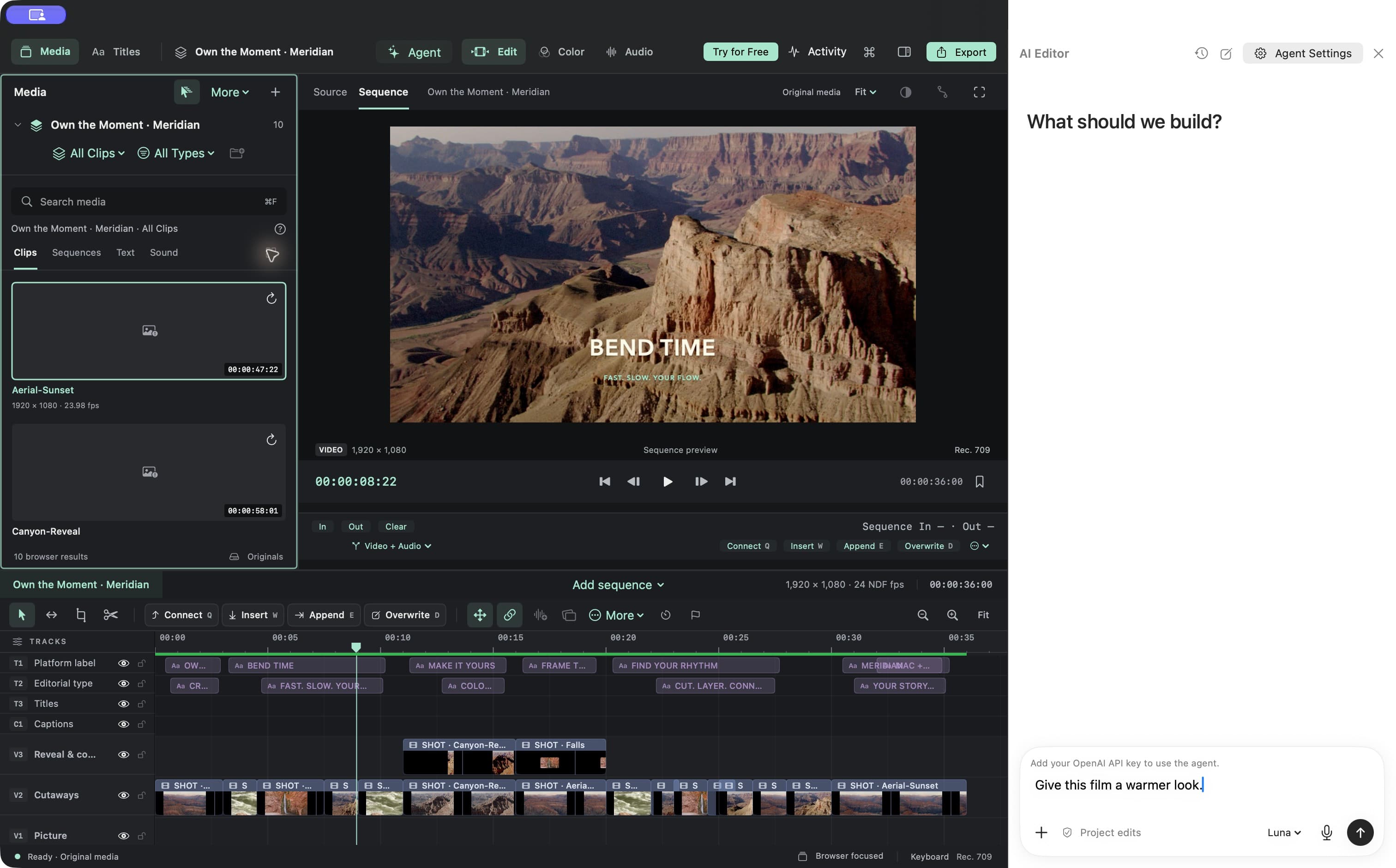
Start with your clips, music, and an idea.
Ask for a tighter cut, a title, a warmer look, or a new version.
Keep refining in chat, or take the controls on your timeline.
Creative work takes a few passes. Ask for another version, adjust a detail, or undo an edit. Keep the conversation going until the film feels right.
Explore AI editing“Make the opening more energetic.”
“Keep that shot a little longer.”
“Make a vertical version for Shorts.”
Example requests. Results depend on your footage and the changes you ask for.Move between conversation and hands-on editing. Every creative decision has a place on your timeline.
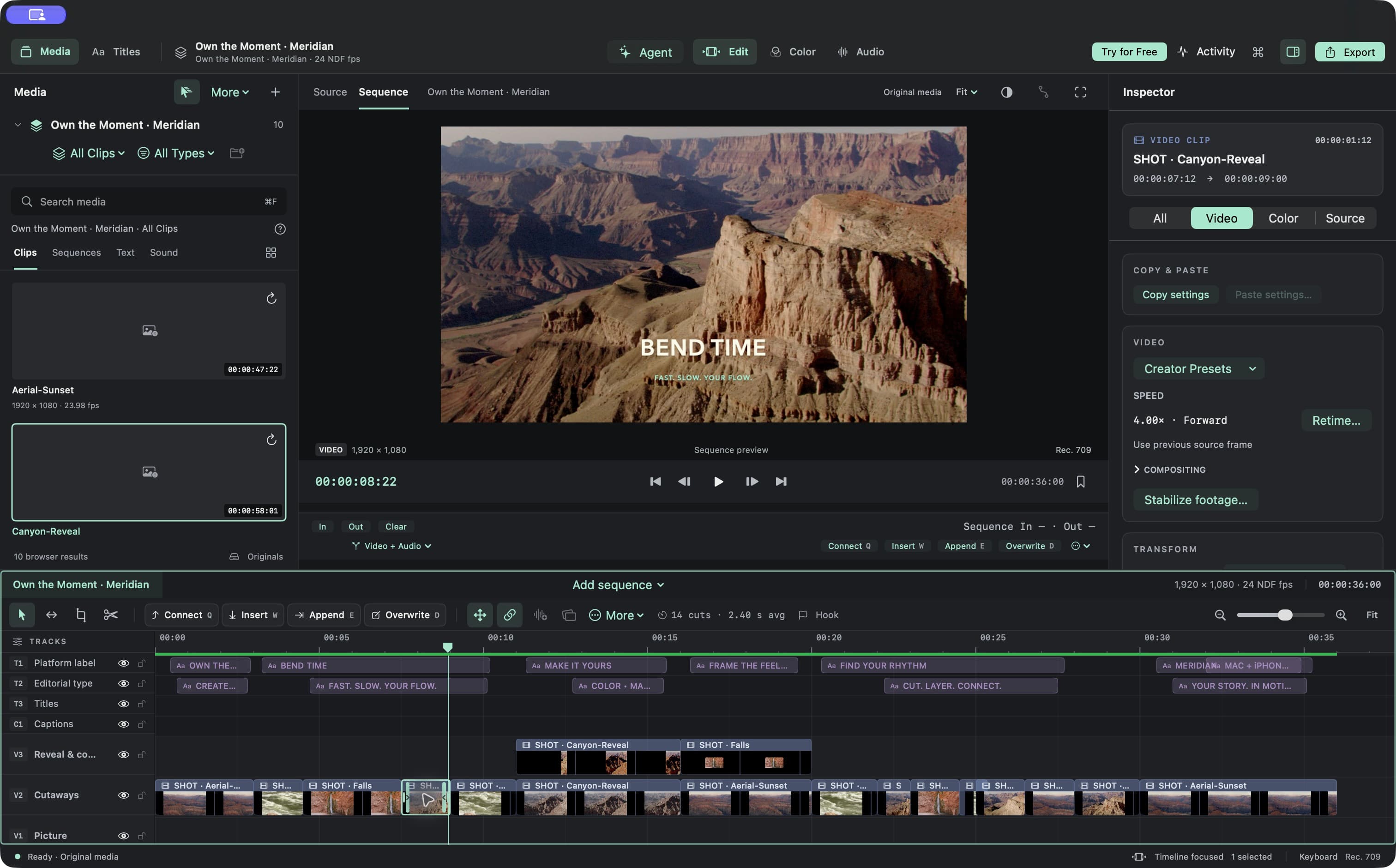
Trim the dead space. Shape the rhythm. Layer the moments that tell your story.
ExploreBring shots together with color, LUTs, and precise adjustments.
ExploreBalance dialogue and music. Shape fades and give your mix room to breathe.
ExploreCreate titles, add lower thirds, and make captions part of the picture.
ExploreBuild your main film, then create an independent portrait version.
Reframe and refine for the screen your audience watches.
Subscribe to Meridian for unlimited exports, advanced AI editing, and priority support. Bring your creative process together, from the first cut to the final version.
Work through a detailed brief with advanced AI editing. Ask for a new version, then refine the result.
Export your films, portrait cuts, and alternate versions whenever they are ready to share.
Get priority customer support when you need help with Meridian, so you can get back to your next edit.
One subscription covers macOS and iOS. AI editing is available on Mac and requires your own API key. AI usage is billed separately and is not included in your Meridian subscription. Prices and renewal terms are shown in the app before purchase.
Yes. The agent can make supported timeline edits, including cuts, titles, color changes, audio levels, retiming, and alternate versions. Review the result, refine it in chat, or adjust it yourself. AI can make mistakes; complex requests may need a few passes.
Your own API key and permission to share editing requests and project metadata. AI usage is billed separately from your Meridian subscription. The AI editing guide walks you through setup.
A Meridian subscription includes unlimited exports, advanced AI editing, and priority support. Current prices, billing periods, and any eligible trial are shown in the app before purchase. AI usage is billed separately.
You control sharing in Agent Settings. Editing requests and project metadata support the agent’s work. Caption text and video frames have separate controls. Raw audio stays on your Mac.
Yes. Trim a clip, adjust a title, shape the color, or refine the sound directly on your timeline. Move between AI editing and the controls whenever you want.
Make it with Meridian.
Coming soon to the Mac App Store