Start with the important sound
If your film includes speech, treat it as the anchor of the mix. Music should support the message and remain low enough that every word is understandable. Use a track you have permission to include in the finished video.
Place and balance the music
- Import the audio file with
⌘I. - Place the useful range on an audio track in the sequence.
- Trim it to the film’s duration and use entry and exit fades to avoid abrupt edges.
- Open Audio and adjust the track gain while listening to the full sequence.
- Adjust an individual clip’s gain when a single section needs attention; track gain affects the whole track.
Listen to the complete mix
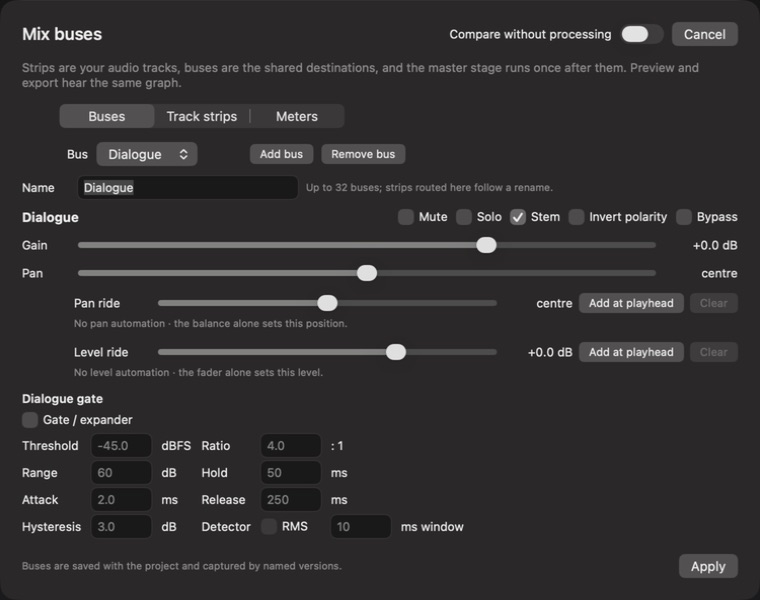
Use Solo to diagnose a track, then turn it off before judging the mix. Check Mute states too: they affect playback and export. Listen through transitions and quiet sections, where music can unexpectedly dominate.
Measure sequence loudness helps you inspect overall level and peaks. A loudness target depends on the delivery destination; do not assume the loudest mix is the best one.
Finish this pass
Play the whole film on the listening device you expect to use for review. If the sound disappears, check the monitoring route and track states before changing clip levels. Save the project when dialogue, music, and transitions feel balanced.